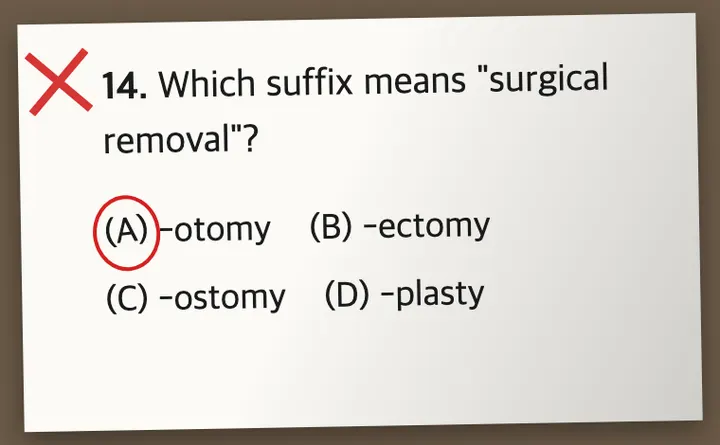
Your mistakes become your own review sets

Save a problem from a photo, build review sets with filters or AI, and let AI generate new similar problems. No install — right in your browser on desktop or mobile, with PDF print.

No installDesktop & mobileAI-generated problemsPDF & print

Got a join code from your teacher? Join your class

How it works

Build Your Review System in Minutes

Turn your study materials into a system you can come back to again and again. Register, organize, and review. A few simple steps to keep making progress every day.

01.

Register Problems

Register the problems you want to revisit, whether text or images. Your offline study problems become a review system that fits you.

02.

Build unlimited sets

Problems you register are reusable forever, like a bank. Pull endless fresh sets from it with tag and difficulty filters, or just ask the AI.

03.

Practice Repeatedly

Practice your problem sets repeatedly to reinforce what you have learned and remember it longer, with sessions that stay focused and organized.

04.

Narrow it down

As results build up, regroup just the problems you missed and solve them again. Your bank grows, but your review pile keeps shrinking until only today's weak spots remain.

Classroom

One code hands your problems to a whole class

Building the notebook is usually an adult's work. Assign a set you already made to the whole class, and see who missed what on one screen.

Students never sign up

A join code, their name, and a passcode they choose themselves. No email, no account — young students get in on their own, and that passcode carries their work to any other device.

Assign work, collect the results

Assign a problem set, and open any question to see every student's answer to it side by side. Short answers grade themselves; written ones you mark with a tap.

Decide when answers appear

Per assignment: right away, after the due date, or only when you open them. Even on immediate reveal, a student never sees the answer to a problem they haven't attempted.

Print it and solve on paper

Download an assignment as a PDF with room to write. The printout carries exactly the answers the screen would show — no more.

Got a join code from your teacher? Join your class

Guides

ReviewNotes Study Guides

How to review with ReviewNotes, and the study habits that make it work.

Voice flashcards

VoiceCards: flashcards you answer out loud

Flashcards you answer out loud instead of typing. No need to stare at the screen, so you can keep reviewing on the move or when your hands are full.

Try VoiceCards

FAQ

Your Questions, Answered

Everything you need to know about ReviewNotes

What is ReviewNotes?

ReviewNotes is a web app that helps you turn your study materials into your own review notebook.
You can register problems (text or images), group them into custom sets, and review them repeatedly while tracking your progress as you learn.

How does it work?

Can teachers or parents assign problems to students?

Do students need an account to join a class?

Can I control when students see the answers?

Can students print an assignment and solve it on paper?

Who can use ReviewNotes?

Is my data private?

Where is my data stored?

How do I sign up or log in?

Can I upload images or handwritten problems?

Can I track my learning progress?

Can I back up my data?

Is there a mobile app?

Does ReviewNotes use AI?

Is ReviewNotes free?

What makes ReviewNotes different?

I found a bug or have feedback.

Start Your Own Review Notebook and Review Every Day

Register your problems once and turn them into your personal, always-available review system.

Free to start · No credit card required