Use ReviewNotes with Your Own AI Agent
Connect ReviewNotes to Claude or ChatGPT and you can ask for the things you do in the app by chat.
The agent works only inside your account, and only as far as you allow.
In this guide
Things you can ask
There are no commands to learn. Ask the way you normally would and the agent picks the tools it needs.
- “Add this photo to my mistake notebook.”
- “What’s on for today? Done. I got 3 and 7 wrong.”
- “Make a mock exam from only the problems I missed in the last two weeks.”
- “Put the fractions problems I keep missing on Friday’s schedule.”
- “Give this problem set to Mia. After the due date, send her only the ones she missed.”
- “Look at this month’s analysis and tell me where I’m weak.”
Most of what you see in the app, your agent can also find and change. Mix or change these examples freely.
Connect
In ReviewNotes, open Settings → Use with an agent and copy the connection URL.
https://reviewnotes.app/api/mcp
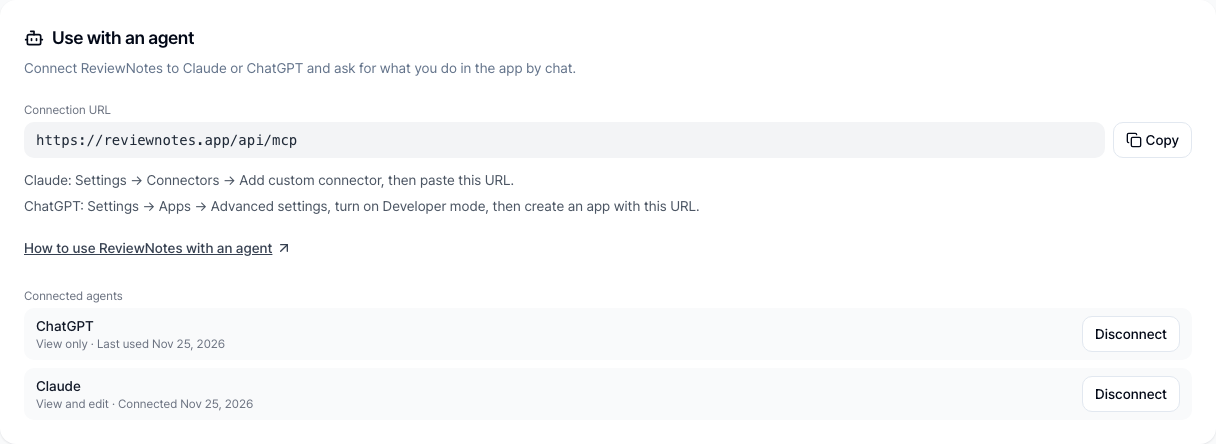
- Claude: open Connectors in Settings. Choose Add custom connector and paste this URL.
- ChatGPT: in Apps, open Advanced settings and turn on Developer mode. Then create a new app with this URL.
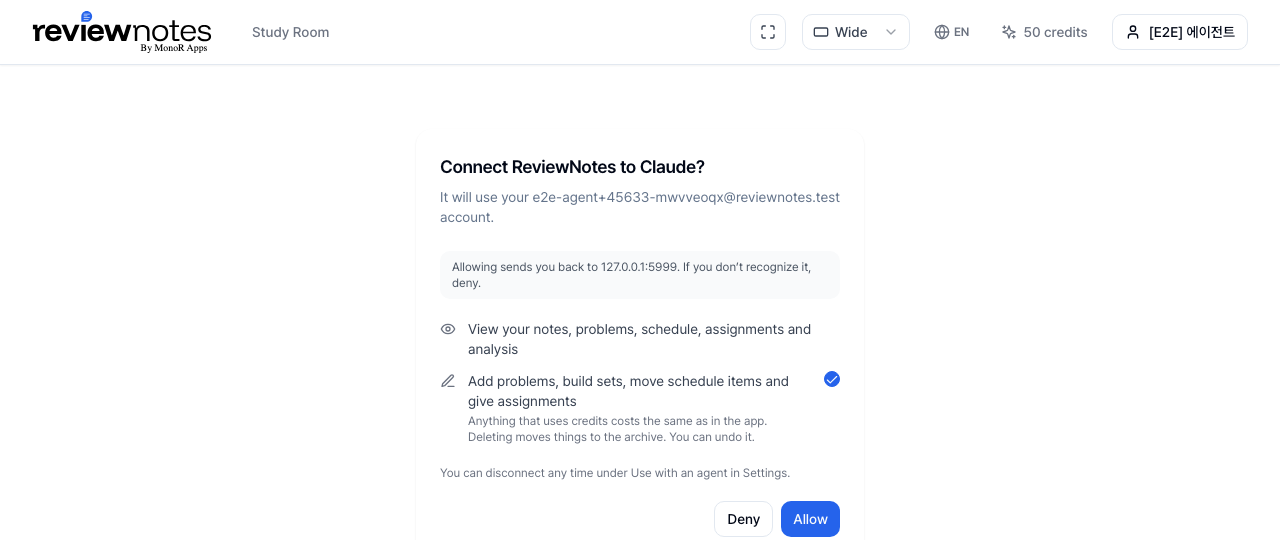
Your agent opens the ReviewNotes permission screen. Check the account and press Allow.
View only, or view and edit
You choose on the permission screen. View only lets the agent read what is in your account.
View and edit also lets it make changes, like adding problems or giving assignments.
Credits work the same as in the app
Anything that uses credits in the app, like adding a problem or an AI solution, costs the same through an agent. Free plan limits on notes and problems also apply.
Before spending credits the agent tells you the cost. If you are short, nothing changes and you get a link to top up.
Staying safe
- The agent can open only your own notes and assignments.
- When you ask it to delete something, it moves it to the archive. You can bring it back.
- What the agent does is recorded.
- Disconnect any time under Use with an agent in Settings. The agent loses access at once.
Questions people ask
- What is the connection URL?
- It is https://reviewnotes.app/api/mcp. You can also copy it under Use with an agent in Settings.
- What if the agent deletes something by mistake?
- Agents cannot delete for good. Anything removed goes to the archive. You can bring it back.
- Can it manage assignments I give to others?
- Yes, for anyone you have already sent work to in the app. It can read their results and resend only the missed problems. For someone new, add them once from Assign in the app.